PROMPTMEMES & HOW TO USE DREAMWIDTH
Aug. 19th, 2025 06:56 amthe posting instructions (formatting and guidelines) for the enhypen prompt meme can be found HERE.
note: this post assumes a very casual tone as it was originally intended for friends of the author and written after a twitter poll asking if people were interested in a step-by-step guide for dreamwidth / dreamwidth prompt memes with images and the only options to receive votes were "yes" and "im not stupid (yes)", and a request to explain this stuff as the person was five.
it was then used to serve the same purpose for a wider audience by being linked to the official prompt meme itself (where it was admittedly originally also presumed there would only be friends of the author). as you can see from the date of the post, it was written before the prompt meme's first round and has not been updated much since. with this out of the way, let's begin.
so what do you need to know?
1.1. when you open
![[community profile]](https://www.dreamwidth.org/img/silk/identity/community.png) given_taken, congratulations, you are visiting the community for the prompt meme. on dreamwidth your personal account is called a journal; normally i operate under
given_taken, congratulations, you are visiting the community for the prompt meme. on dreamwidth your personal account is called a journal; normally i operate under ![[personal profile]](https://www.dreamwidth.org/img/silk/identity/user.png) girlishpop but created fatemp3 to moderate the prompt meme/community. the pros and cons and differences between journals and comms don't really matter here, but just wanted to mention it.
girlishpop but created fatemp3 to moderate the prompt meme/community. the pros and cons and differences between journals and comms don't really matter here, but just wanted to mention it. you can see which account made a post in a community. logged in users show in the comment sections.
1.2. so you're on the community. right now it's pretty empty, but there will eventually be a few entries/posts. the main thing is going to be The Prompt Post, which is where the fest takes place.
1.3. to leave a prompt, you have to open the prompt post. this you can do in a couple of ways; either by the header/post title (big text up top) or by pressing on the comment section (# comments) to take you directly there. if the comment section is empty, you will just be told you can reply to the post.
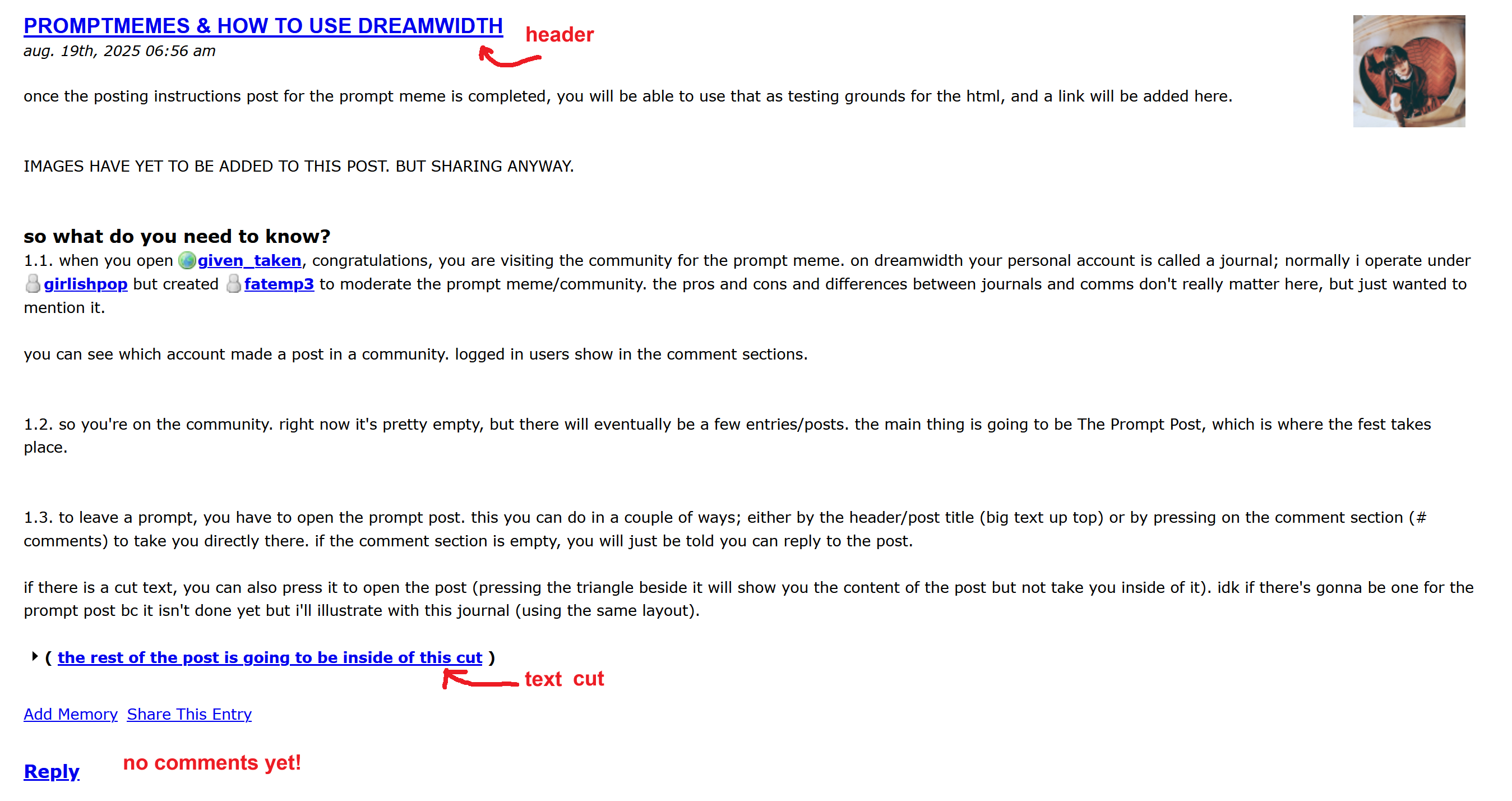
if there is a text cut, you can also press it to open the post (pressing the triangle beside it will show you the content of the post but not take you inside of it). it's just html you use to not have the bulk of the post show automatically on the journal/comm, which is nice for longer posts. idk if there's gonna be one for the prompt post bc it isn't done yet but i'll illustrate with this journal (using the same layout).
( the rest of the post is going to be inside of this cut )